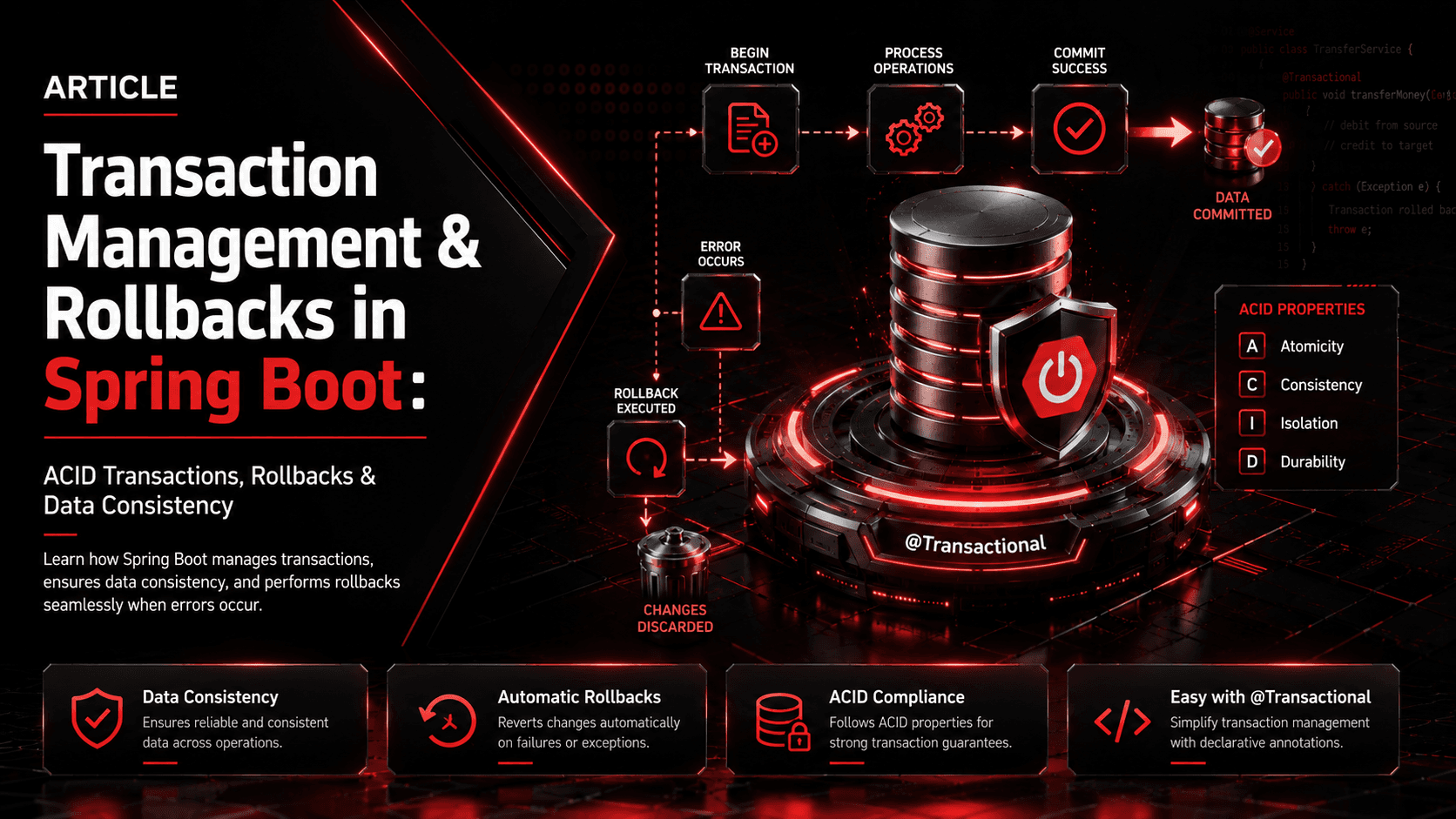
Transaction Management & Rollbacks in Spring Boot: What Really Happens When @Transactional Runs
Deep dive into Spring Boot @Transactional annotation: how Spring manages database transactions, when rollbacks occur, common pitfalls, and production-ready transaction management patterns.
This guide explains what actually happens when @Transactional runs, how Spring manages transactions, when rollbacks happen, common pitfalls, and production-ready patterns.
Published at Medium.saiifbaba.co.
1. What Is a Database Transaction?
A transaction is a group of database operations treated as one logical unit of work.
For example, transferring money between two accounts requires at least two operations:
- Deduct money from Account A.
- Add money to Account B.
If the first operation succeeds but the second fails, the system must not leave the database in an inconsistent state.
accountA.setBalance(accountA.getBalance().subtract(amount));
accountRepository.save(accountA);

accountB.setBalance(accountB.getBalance().add(amount));
accountRepository.save(accountB);
A transaction makes these operations atomic:
BEGIN TRANSACTION

  Debit Account A
  Credit Account B

COMMIT
If something goes wrong:
BEGIN TRANSACTION

  Debit Account A
  Credit Account B
  -> ERROR

ROLLBACK
The database returns to its previous consistent state.
2. What Does @Transactional Actually Do?
Consider this service:
@Service
public class PaymentService {

    @Transactional
    public void transferMoney(Long fromId, Long toId, BigDecimal amount) {
        debit(fromId, amount);
        credit(toId, amount);
    }
}
It is tempting to think Spring simply "turns transactions on" for this method.
What actually happens is more interesting.
Spring typically creates a proxy around the bean. When another Spring-managed component calls the transactional method, the call passes through that proxy.
Conceptually:
Client
  |
  v
Spring Proxy
  |
  +-- Begin Transaction
  |
  v
PaymentService.transferMoney()
  |
  +-- debit()
  +-- credit()
  |
  v
Spring Proxy
  |
  +-- Commit Transaction
If the method fails according to Spring's rollback rules, the proxy requests a rollback instead of a commit.
3. The Transaction Lifecycle
A simplified lifecycle looks like this:
Method Call
    |
    v
@Transactional Interceptor
    |
    v
Transaction Manager
    |
    v
BEGIN
    |
    v
Execute Business Logic
    |
    +---- Success ----> COMMIT
    |
    +---- Rollback Rule ----> ROLLBACK
The transaction interceptor is responsible for coordinating the transaction around the method invocation.
For a relational database, Spring commonly delegates transaction management to a PlatformTransactionManager, such as DataSourceTransactionManager or JpaTransactionManager.
4. What Happens During a Successful Transaction?
Suppose we have:
@Transactional
public void createOrder(Order order) {
    orderRepository.save(order);
    paymentRepository.createPayment(order.getId());
}
A simplified sequence is:
1. Caller invokes createOrder()
2. Spring proxy intercepts the call
3. Transaction manager starts a transaction
4. Repository operations execute
5. Method returns normally
6. Transaction manager commits
The important point is that the transaction is not committed after every repository operation.
Both operations participate in the same transaction.
BEGIN
  INSERT order
  INSERT payment
COMMIT
5. What Happens During a Rollback?
Now consider:
@Transactional
public void createOrder(Order order) {
    orderRepository.save(order);

    paymentRepository.createPayment(order.getId());

    throw new RuntimeException("Payment failed");
}
If the exception matches Spring's rollback rules:
BEGIN
  INSERT order
  INSERT payment

  RuntimeException
      |
      v
ROLLBACK
The database should not retain either operation.
This is one of the most important benefits of transaction management: the business operation can fail as a whole instead of partially succeeding.
6. Default Rollback Rules
By default, Spring rolls back a transaction when an unchecked exception occurs:
RuntimeException- subclasses of
RuntimeException Error
Checked exceptions do not automatically trigger rollback.
For example:
@Transactional
public void process() {
    saveData();

    throw new RuntimeException("Something went wrong");
}
The transaction is normally rolled back.
But:
@Transactional
public void process() throws IOException {
    saveData();

    throw new IOException("File error");
}
An IOException is a checked exception, so Spring does not normally roll back solely because it was thrown.
You can explicitly configure rollback behavior:
@Transactional(rollbackFor = IOException.class)
public void process() throws IOException {
    saveData();
    throw new IOException("File error");
}
You can also configure multiple exception types:
@Transactional(
    rollbackFor = {
        IOException.class,
        CustomBusinessException.class
    }
)
public void process() {
    // ...
}
7. rollbackFor and noRollbackFor
Spring lets you customize rollback behavior.
Roll back for a checked exception
@Transactional(rollbackFor = Exception.class)
public void processPayment() throws Exception {
    // database operations
}
Do not roll back for a particular exception
@Transactional(noRollbackFor = PaymentWarningException.class)
public void processPayment() {
    // ...
}
Use these options deliberately. Broad rules such as rollbackFor = Exception.class can be useful in some service boundaries, but they should not be added blindly.
8. The Most Important Rule: Transactional Boundaries Belong at the Service Layer
A common production pattern is:
@Service
public class OrderService {

    @Transactional
    public Order createOrder(CreateOrderRequest request) {
        // business operation
    }
}
The service layer is usually the right place because a business use case may involve several repositories.
Controller
    |
    v
Service  <-- Transaction Boundary
    |
    +--> OrderRepository
    +--> PaymentRepository
    +--> InventoryRepository
Putting transactions around the complete business operation makes it easier to maintain consistency.
9. Repository Calls Usually Participate in the Existing Transaction
Suppose:
@Transactional
public void checkout() {
    orderRepository.save(order);
    inventoryRepository.decreaseStock(productId);
    paymentRepository.createPayment(payment);
}
All participating operations can execute inside the transaction started for checkout().
You normally do not need to manually begin and commit a database transaction around every repository call.
Spring handles that coordination for you.
10. @Transactional Does Not Mean "Everything Is Automatically Rolled Back"
This is a critical distinction.
A transaction can only roll back work controlled by that transaction manager and participating resources.
For example:
@Transactional
public void processOrder() {
    orderRepository.save(order);

    callExternalPaymentApi();

    inventoryRepository.decreaseStock(productId);
}
If the external payment API succeeds and the database transaction later rolls back, Spring cannot magically undo the external HTTP request.
You could end up with:
Database:     ROLLED BACK
Payment API:  SUCCESSFUL
This is why distributed systems often require patterns such as:
- Saga
- Outbox Pattern
- Idempotency
- Compensating transactions
- Event-driven workflows
A local database transaction is not automatically a distributed transaction.
11. The Self-Invocation Trap
One of the most common @Transactional mistakes is calling a transactional method from another method in the same class.
Example:
@Service
public class OrderService {

    public void createOrder() {
        saveOrder();
    }

    @Transactional
    public void saveOrder() {
        orderRepository.save(order);
    }
}
This may not behave as expected because:
createOrder()
   |
   v
this.saveOrder()
The internal call bypasses the Spring proxy.
The call does not necessarily pass through the transactional interceptor.
Better approach
Move the transactional method to another Spring bean:
@Service
public class OrderService {

    private final OrderTransactionService transactionService;

    public void createOrder() {
        transactionService.saveOrder();
    }
}@Service
public class OrderTransactionService {
@Transactional
public void saveOrder() {
orderRepository.save(order);
}
}Now the call can pass through the Spring proxy.
12. Why @Transactional Often Works Through Proxies
Conceptually, Spring creates something similar to:
class TransactionalProxy {

    public void transferMoney(...) {

        transactionManager.begin();

        try {
            target.transferMoney(...);

            transactionManager.commit();

        } catch (RuntimeException ex) {
            transactionManager.rollback();
            throw ex;
        }
    }
}
This is a conceptual model, not the literal generated implementation.
The actual infrastructure is more sophisticated, but the mental model is extremely useful.
13. Transaction Propagation
Propagation controls what happens when a transactional method calls another transactional method.
The default is:
Propagation.REQUIREDREQUIRED
Join an existing transaction or create a new one if none exists.
@Transactional
public void methodA() {
    methodB();
}
If methodB() uses REQUIRED, it normally participates in the same transaction.
Conceptually:
Transaction A
  |
  +--> methodA()
          |
          +--> methodB()
There is usually one transaction.
REQUIRES_NEW
Suspend the existing transaction and create a new one.
@Transactional(propagation = Propagation.REQUIRES_NEW)
public void audit() {
    auditRepository.save(event);
}
Conceptually:
Transaction A
    |
    +-- suspend
    |
    v
Transaction B
    |
    +-- audit
    |
    +-- commit
    |
    v
Resume Transaction A
This can be useful for certain audit or independent persistence operations, but it should not be used casually.
MANDATORY
Requires an existing transaction.
@Transactional(propagation = Propagation.MANDATORY)If there is no active transaction, the call fails.
SUPPORTS
Uses an existing transaction if one exists, otherwise executes without one.
NOT_SUPPORTED
Suspends an existing transaction and executes without a transaction.
NEVER
Fails if an existing transaction is present.
NESTED
Uses a nested transaction mechanism when supported by the underlying transaction manager and database configuration, commonly involving savepoints.
14. Transaction Isolation
Isolation determines how one transaction sees changes made by other concurrent transactions.
Common isolation levels include:
READ_UNCOMMITTED
READ_COMMITTED
REPEATABLE_READ
SERIALIZABLE
You can specify isolation explicitly:
@Transactional(isolation = Isolation.READ_COMMITTED)
public void process() {
    // ...
}
Higher isolation can improve consistency but may reduce concurrency and increase locking/contention.
The exact behavior depends on the database and transaction manager.
15. Read-Only Transactions
For read-heavy operations, you may use:
@Transactional(readOnly = true)
public List<Order> findOrders() {
    return orderRepository.findAll();
}
readOnly = true is primarily a hint to the transaction infrastructure and underlying persistence provider.
It should not be treated as a universal security mechanism that physically prevents every possible write.
A read-only transaction can be useful for communicating intent and allowing certain persistence optimizations.
16. Transaction Timeout
Long-running transactions can hold database resources for too long.
You can specify a timeout:
@Transactional(timeout = 10)
public void processOrder() {
    // ...
}
The timeout is expressed in seconds.
Timeout behavior depends on the transaction manager and underlying resource.
17. Exception Handling Can Accidentally Hide Rollbacks
Consider:
@Transactional
public void process() {
    try {
        saveData();
        callSomething();
    } catch (Exception ex) {
        log.error("Processing failed", ex);
    }
}
If the exception is caught and not rethrown, the transactional method may return normally.
That can result in a commit instead of the rollback you expected.
A safer approach is to rethrow when the operation should fail:
@Transactional
public void process() {
    try {
        saveData();
        callSomething();
    } catch (Exception ex) {
        log.error("Processing failed", ex);
        throw ex;
    }
}
Or explicitly mark the transaction rollback-only when appropriate:
TransactionAspectSupport.currentTransactionStatus()
        .setRollbackOnly();
Use programmatic rollback sparingly; clear exception propagation is generally easier to reason about.
18. Checked Exceptions and Unexpected Commits
This is a classic bug:
@Transactional
public void registerUser() throws UserRegistrationException {
    userRepository.save(user);

    if (!valid(user)) {
        throw new UserRegistrationException("Invalid user");
    }
}
If UserRegistrationException extends Exception rather than RuntimeException, the transaction may commit unless rollback behavior is configured.
Fix:
@Transactional(rollbackFor = UserRegistrationException.class)
public void registerUser() throws UserRegistrationException {
    // ...
}
Or make the business exception unchecked when that design fits the application.
19. save() Does Not Necessarily Mean "SQL Immediately Executes"
With JPA/Hibernate, a call such as:
repository.save(entity);does not always mean the SQL statement is sent immediately.
The persistence context may defer SQL until a flush occurs.
SQL can be flushed:
- At transaction commit
- During explicit
flush() - At points required by the persistence provider
- Before certain queries depending on flush mode
For example:
repository.save(order);

repository.flush();
Explicit flushing can force synchronization with the database earlier, but it does not commit the transaction.
This distinction is important:
save()
  !=
commit()
and:
flush()
  !=
commit()
20. Flush vs Commit
Think of them as separate concepts.
Flush
Synchronizes pending persistence changes with the database.
Persistence Context
       |
       | flush
       v
Database
Commit
Makes the transaction's database changes permanent.
Transaction
    |
    v
COMMIT
    |
    v
Permanent database state
If the transaction is later rolled back, flushed SQL changes can still be undone.
21. Transaction Context and Thread Boundaries
Traditional Spring transaction management for JDBC/JPA is commonly associated with the current execution thread.
This means transactions do not automatically follow arbitrary asynchronous execution.
For example:
@Transactional
public void process() {
    CompletableFuture.runAsync(() -> {
        repository.save(data);
    });
}
Do not assume the asynchronous operation participates in the original transaction.
The new thread has a different execution context.
This is particularly important when using:
@Async- Thread pools
- CompletableFuture
- Reactive pipelines
- Message consumers
Reactive transaction management uses different mechanisms and should not be mentally modeled exactly like thread-bound imperative transactions.
22. @Transactional on Private Methods
A common misconception is:
@Transactional
private void saveData() {
    // ...
}
Making a method transactional does not automatically make an internal/private method call pass through the Spring transactional proxy.
Transaction boundaries should generally be placed on externally invoked service methods.
Prefer:
@Transactional
public void processOrder() {
    saveOrder();
    updateInventory();
}
where the public service method defines the business transaction boundary.
23. Transactional Methods Should Usually Be Public
For proxy-based transaction management, the method needs to be invoked through the Spring-managed proxy.
A practical convention is:
@Service
public class PaymentService {

    @Transactional
    public void processPayment() {
        // transaction boundary
    }
}
Keep transaction boundaries at public service methods rather than relying on private/internal calls.
24. Multiple Data Sources
If an application has multiple databases, transaction management becomes more complex.
For example:
Application
   |
   +--> MySQL Transaction Manager
   |
   +--> PostgreSQL Transaction Manager
A transaction associated with one database does not automatically make operations against another database atomic.
For cross-resource atomicity, you may need specialized distributed transaction strategies, but modern microservice architectures often prefer eventual consistency and Saga-style workflows instead.
25. Transactions in Microservices
Suppose an order workflow is split into services:
Order Service
     |
     v
Payment Service
     |
     v
Inventory Service
A local transaction inside Order Service can protect its own database:
Order DB
BEGIN
  create order
COMMIT
But it does not automatically include Payment DB and Inventory DB.
Trying to stretch one local @Transactional annotation across independent microservices will not create a distributed atomic transaction.
Instead, an event-driven Saga can coordinate the workflow:
Order Created
     |
     v
Payment Requested
     |
     v
Payment Completed
     |
     v
Inventory Reserved
     |
     v
Order Confirmed
If a later step fails, a compensating action can undo the business effect:
Inventory Reservation Failed
        |
        v
Refund Payment
        |
        v
Cancel Order
26. Transaction + Kafka: An Important Distinction
Consider:
@Transactional
public void createOrder() {
    orderRepository.save(order);
    kafkaTemplate.send("order-created", order);
}
A database transaction and a Kafka operation are not automatically one atomic unit merely because both appear inside the same Java method.
If strict consistency between database state and emitted events is required, consider the Outbox Pattern.
Outbox Pattern
Instead of directly publishing the event:
BEGIN
  Insert Order
  Insert Outbox Event
COMMIT
A separate publisher reads the outbox:
Outbox Table
     |
     v
Event Publisher
     |
     v
Kafka
This helps prevent the classic failure:
Database Commit = SUCCESS
Kafka Publish   = FAILED
27. A Production-Friendly Service Example
@Service
@RequiredArgsConstructor
public class TransferService {

    private final AccountRepository accountRepository;
    private final TransactionRepository transactionRepository;

    @Transactional(
        rollbackFor = InsufficientFundsException.class
    )
    public void transfer(
            Long fromAccountId,
            Long toAccountId,
            BigDecimal amount
    ) throws InsufficientFundsException {

        Account sender = accountRepository.findById(fromAccountId)
                .orElseThrow(() -> new AccountNotFoundException(fromAccountId));

        Account receiver = accountRepository.findById(toAccountId)
                .orElseThrow(() -> new AccountNotFoundException(toAccountId));

        if (sender.getBalance().compareTo(amount) < 0) {
            throw new InsufficientFundsException("Insufficient balance");
        }

        sender.debit(amount);
        receiver.credit(amount);

        accountRepository.save(sender);
        accountRepository.save(receiver);

        transactionRepository.save(
                TransferTransaction.create(
                        fromAccountId,
                        toAccountId,
                        amount
                )
        );
    }
}
The important idea is that the complete business operation is treated as one transaction.
If the transfer fails, the related database changes can be rolled back together.
28. Common @Transactional Mistakes
Mistake 1: Putting it only on the controller
@RestController
public class OrderController {

    @Transactional
    @PostMapping("/orders")
    public void createOrder() {
        // ...
    }
}
This can work technically, but it often places the transaction boundary at the wrong architectural layer.
Prefer the service layer.
Mistake 2: Self-invocation
this.transactionalMethod();This can bypass proxy interception.
Mistake 3: Catching exceptions and continuing
try {
    repository.save(data);
} catch (Exception e) {
    log.error("Failed", e);
}
The transaction may commit if the method ultimately returns normally.
Mistake 4: Assuming checked exceptions always roll back
They do not by default.
Use:
rollbackFor = SomeCheckedException.classwhen needed.
Mistake 5: Assuming external API calls roll back
They do not.
A database rollback cannot undo an HTTP request that already succeeded.
Mistake 6: Long-running transactions
Avoid keeping a transaction open while performing slow operations such as:
- External HTTP requests
- Large file processing
- User interaction
- Long computations
- Slow network calls
Long transactions can increase:
- Lock duration
- Connection usage
- Contention
- Deadlock risk
- Database resource consumption
29. How to Debug Transaction Problems
When debugging unexpected commits or rollbacks, inspect:
1. Is the method actually called through a Spring bean?
@Serviceand dependency injection should be used rather than manually constructing the object.
2. Is the transactional method being self-invoked?
this.someMethod();3. What exception was thrown?
Check whether it is:
RuntimeExceptionor:
Checked Exception4. Was the exception swallowed?
Look for:
catch (Exception e) {
    log.error(...);
}
5. Which transaction manager is configured?
For example:
JpaTransactionManager
DataSourceTransactionManager
6. Is there more than one database?
A transaction manager may only cover the resources it manages.
7. Are asynchronous operations involved?
Transactions generally do not automatically propagate to arbitrary new threads.
30. Useful Transaction Logging
For debugging, transaction-related logging can be enabled in Spring applications.
For example:
logging.level.org.springframework.transaction=DEBUG
logging.level.org.springframework.orm.jpa=DEBUG
Hibernate SQL logging can also be enabled depending on your Spring Boot and Hibernate version:
spring.jpa.show-sql=trueFor production, prefer structured logging and appropriate log levels rather than leaving extremely verbose SQL/transaction logs enabled permanently.
31. A Simple Mental Model
When you see:
@Transactional
public void businessOperation() {
    // ...
}
think:
Caller
  |
  v
Spring Proxy
  |
  v
Start Transaction
  |
  v
Business Operation
  |
  +---- Success ----------------> Commit
  |
  +---- Rollback Rule ----------> Rollback
But remember the boundaries:
@Transactional
      |
      +--> Database operations: YES
      |
      +--> External HTTP call: NO automatic rollback
      |
      +--> Another microservice: NO automatic transaction
      |
      +--> Arbitrary async thread: NO automatic propagation
This mental model prevents many transaction-related bugs.
32. Best Practices Checklist
Use these principles in production Spring Boot applications:
- Put transaction boundaries around complete business operations.
- Prefer the service layer for
@Transactional. - Keep transactions short.
- Avoid external network calls inside long-running database transactions.
- Understand the default rollback rules.
- Use
rollbackForfor checked exceptions when required. - Do not swallow exceptions that should cause rollback.
- Understand proxy-based behavior and self-invocation.
- Do not assume
save()means commit. - Do not confuse
flush()with commit. - Be deliberate with
REQUIRES_NEW. - Choose isolation levels based on actual consistency requirements.
- Avoid assuming transactions cross threads.
- Do not treat local transactions as distributed transactions.
- Use Saga/Outbox/compensation patterns for distributed workflows when appropriate.
- Test rollback behavior explicitly.
33. Interview Questions You Should Be Able to Answer
What does @Transactional do?
It defines a transaction boundary that Spring manages around a method invocation, using a transaction manager to begin, commit, or roll back the transaction according to the configured rules.
Does @Transactional automatically roll back checked exceptions?
No. By default, Spring rolls back on unchecked exceptions and Error. Checked exceptions generally require explicit rollback configuration.
Why does self-invocation cause problems?
Because proxy-based interception can be bypassed when one method directly calls another method on the same object.
Does save() immediately commit data?
No. Persistence operations can be deferred and synchronized with the database during flush/commit.
Can a database rollback undo an external API call?
No. A local database transaction cannot automatically undo an external side effect.
Does @Transactional work across microservices?
Not as a normal local transaction. Each service typically has its own transaction boundary and database.
What is REQUIRES_NEW?
It suspends the current transaction and starts a separate transaction for the annotated operation, when supported by the transaction manager.
What is the difference between flush and commit?
Flush synchronizes persistence changes with the database; commit completes the transaction and makes its changes durable according to the database's transaction semantics.
34. Final Takeaway
@Transactional is not magic database protection. It is a declarative way to define a transaction boundary that Spring's transaction infrastructure manages.
The most useful mental model is:
@Transactional
      |
      v
Spring Proxy
      |
      v
Begin Transaction
      |
      v
Execute Business Logic
      |
      +---- Success ----> Commit
      |
      +---- Rollback Rule ----> Rollback
Once you understand the proxy, transaction manager, rollback rules, propagation, isolation, persistence context, flush/commit distinction, and resource boundaries, @Transactional becomes much less mysterious.
The real production skill is not simply knowing where to put the annotation. It is knowing what work belongs inside one transaction, what cannot be rolled back, and what distributed consistency pattern is needed when a transaction is no longer enough.