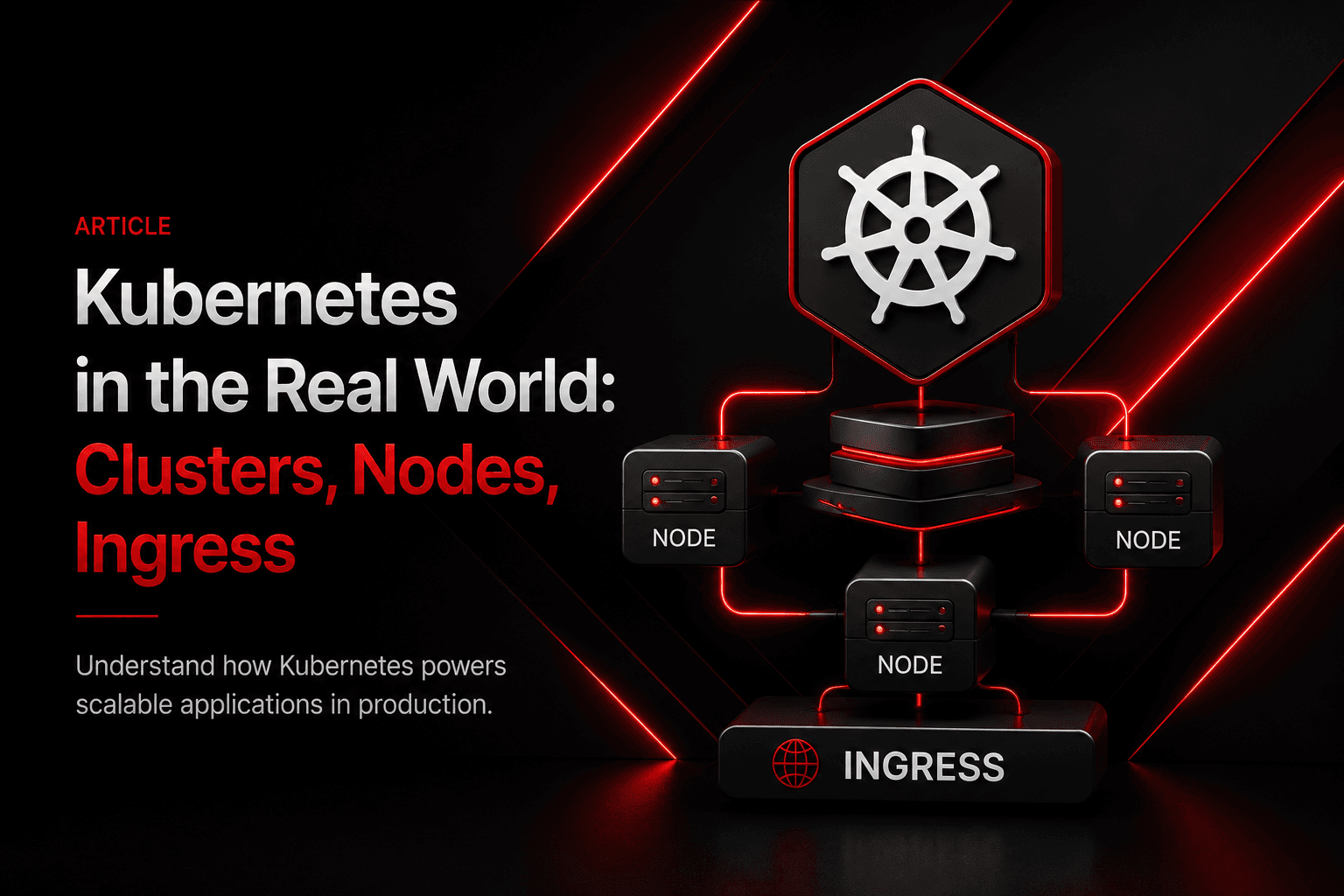
Kubernetes in the Real World: Clusters, Nodes, Ingress, Deployments, Networking & Production Best Practices
Kubernetes is everywhere in modern cloud-native engineering. You will find it behind microservices, APIs, event-driven systems, SaaS platforms, recommendation engines, payment systems, and large-scale web applications. But learning Kubernetes by memorizing commands is not enough. To use Kubernetes effectively, you need to understand **how the cluster works, how workloads are scheduled, how networking reaches your application, how deployments happen, and what you must do to keep the platform reliable in production**.
This article builds that understanding from the ground up.
Published at Medium.saiifbaba.co.
1. What Problem Does Kubernetes Solve?
Imagine a Spring Boot application running on a single virtual machine:
                    Internet
                       |
                       v
                  Virtual Machine
                       |
                       v
                 Spring Boot App
This is simple.
But eventually you may need:
- Multiple application instances
- Automatic recovery
- Zero/minimal-downtime deployments
- Horizontal scaling
- Load balancing
- Service discovery
- Health checks
- Configuration management
- Secret management
- Resource isolation
- Automated scheduling
- High availability
You could build scripts for all of these.
But managing hundreds of containers manually becomes difficult.
Kubernetes provides an orchestration layer that automates much of this work.
A simplified architecture looks like:
                         Users
                           |
                           v
                    Load Balancer
                           |
                           v
                  Kubernetes Cluster
                           |
          +----------------+----------------+
          |                |                |
          v                v                v
        Node 1           Node 2           Node 3
          |                |                |
        Pods             Pods             Pods
2. Kubernetes Is a Desired-State System
One of the most important concepts in Kubernetes is desired state.
Instead of telling Kubernetes exactly how to perform every operation, you describe what you want.
For example:
spec:
  replicas: 3
You are saying:
I want three replicas of this workload.
Kubernetes continuously compares:
Desired State
     |
     v
Actual State
If you requested:
Desired = 3 Podsbut only two are running:
Actual = 2 PodsKubernetes tries to reconcile the difference.
Desired: 3
Actual:  2

      |
      v

Create replacement Pod

      |
      v

Desired: 3
Actual:  3
This reconciliation model is the foundation of Kubernetes.
3. Kubernetes Cluster
A Kubernetes cluster is a collection of machines and components that work together to run containerized workloads.
At a high level:
Kubernetes Cluster
|
+-- Control Plane
|
+-- Worker Node
|
+-- Worker Node
|
+-- Worker Node
The control plane manages the cluster.
Worker nodes run application workloads.
4. Control Plane
The control plane is responsible for coordinating the cluster.
Important components include:
Control Plane
|
+-- kube-apiserver
+-- etcd
+-- kube-scheduler
+-- kube-controller-manager
Depending on the environment, additional controllers and cloud-provider components may also participate.
Let's understand the major components.
5. Kubernetes API Server
The API Server is the central API entry point for Kubernetes.
When you run:
kubectl get podsthe command communicates with the Kubernetes API.
Conceptually:
kubectl
   |
   v
API Server
   |
   +--> Controllers
   +--> Scheduler
   +--> etcd
The API Server:
- Authenticates requests
- Authorizes requests
- Validates objects
- Persists cluster state
- Exposes the Kubernetes API
Most Kubernetes operations ultimately pass through the API Server.
6. etcd
etcd is a distributed key-value store used by Kubernetes to persist cluster state.
Think of it as a critical source of truth for Kubernetes objects.
API Server
     |
     v
   etcd
     |
     +--> Deployments
     +--> Services
     +--> Configurations
     +--> Cluster State
If you operate a self-managed Kubernetes control plane, protecting etcd is extremely important.
Production considerations include:
- Regular backups
- Encryption
- High availability
- Access control
- Monitoring
- Tested restore procedures
Managed Kubernetes services generally abstract much of the control-plane management, but understanding etcd remains important.
7. Kubernetes Scheduler
The Scheduler decides where newly created Pods should run.
Suppose you have:
Node 1 -> 500 MB available
Node 2 -> 4 GB available
Node 3 -> 2 GB available
and a Pod requests:
Memory = 1 GBThe scheduler evaluates eligible nodes and chooses a suitable placement.
Conceptually:
                    Pod
                     |
                     v
                 Scheduler
                     |
             +-------+-------+
             |               |
             v               v
          Node 2          Node 3
             |
             v
        Selected Node
Scheduling can consider:
- Resource requests
- Taints
- Tolerations
- Node affinity
- Pod affinity
- Pod anti-affinity
- Topology spread
- Scheduling policies
- Node availability
8. Controller Manager
Kubernetes controllers implement reconciliation loops.
For example:
Deployment says:
replicas = 3

Current state:
2 Pods
The controller notices:
Desired != Actualand works toward:
3 PodsThis pattern appears throughout Kubernetes.
You can think of controllers as continuously asking:
"Does the cluster currently look like the configuration says it should?"
9. Worker Nodes
Worker nodes are where your workloads actually run.
A node commonly contains:
Worker Node
|
+-- kubelet
+-- Container Runtime
+-- Networking Components
|
+-- Pods
In managed Kubernetes, the cloud provider may handle some node lifecycle operations for you.
10. kubelet
The kubelet is an agent running on each node.
Its responsibility is to make sure the Pods assigned to the node are running according to their specifications.
Conceptually:
Control Plane
     |
     v
  kubelet
     |
     v
Container Runtime
     |
     v
Containers
The kubelet reports node and Pod information back to the Kubernetes control plane.
11. Container Runtime
Kubernetes needs a runtime to create and execute containers.
Modern Kubernetes commonly uses CRI-compatible runtimes such as:
- containerd
- CRI-O
Conceptually:
Kubernetes
    |
    v
 kubelet
    |
    v
Container Runtime
    |
    v
Container
Kubernetes orchestrates the workload; the container runtime actually manages container execution.
12. What Is a Pod?
A Pod is Kubernetes' smallest deployable unit.
The most common pattern is:
Pod
 |
 +--> Application Container
For example:
Pod
 |
 +--> Spring Boot Container
A Pod can also contain multiple tightly coupled containers:
Pod
|
+--> Main Application
|
+--> Sidecar
Containers in the same Pod share the Pod's network namespace and can share volumes.
13. Why Pods Are Ephemeral
A Pod should not be treated like a permanent server.
Suppose:
Pod A
IP = 10.0.2.15
The Pod crashes.
Kubernetes creates:
Pod B
IP = 10.0.3.22
The IP changed.
This is why applications should not depend directly on individual Pod IP addresses.
Instead, use a Kubernetes Service.
14. Deployments
A Deployment manages replicated stateless workloads.
Example:
apiVersion: apps/v1
kind: Deployment

metadata:
  name: user-service

spec:
  replicas: 3

  selector:
    matchLabels:
      app: user-service

  template:
    metadata:
      labels:
        app: user-service

    spec:
      containers:
        - name: user-service
          image: user-service:1.0
          ports:
            - containerPort: 8080
This tells Kubernetes:
Maintain:
3 replicas
of:
user-service:1.0
15. ReplicaSets
Deployments manage ReplicaSets.
Conceptually:
Deployment
     |
     v
ReplicaSet
     |
     +--> Pod
     +--> Pod
     +--> Pod
The ReplicaSet maintains the desired number of Pods.
The Deployment provides higher-level rollout and version management.
16. Rolling Deployments
Suppose production currently has:
Version 1
Pod A
Pod B
Pod C
You release Version 2.
Kubernetes can gradually replace old Pods:
V1  V1  V1

V2  V1  V1

V2  V2  V1

V2  V2  V2
This is a rolling update.
It helps reduce downtime during releases.
17. Rollbacks
Suppose Version 2 introduces a serious bug.
You can roll back:
kubectl rollout undo deployment/user-serviceYou can inspect rollout history with:
kubectl rollout history deployment/user-serviceA production deployment strategy should make rollback predictable.
This is another reason to use traceable image versions instead of relying only on mutable tags such as latest.
18. Kubernetes Services
Because Pods are ephemeral, Kubernetes provides Services for stable networking.
Service
   |
   +--> Pod A
   +--> Pod B
   +--> Pod C
A Service provides a stable virtual endpoint while routing traffic to eligible backend Pods.
Example:
apiVersion: v1
kind: Service

metadata:
  name: user-service

spec:
  selector:
    app: user-service

  ports:
    - port: 80
      targetPort: 8080
Other applications can communicate with:
http://user-servicerather than tracking Pod IPs.
19. Kubernetes DNS
Kubernetes provides service discovery through DNS.
For example:
order-servicecan resolve to the corresponding Service.
Within a namespace, you can often use:
http://order-serviceFor fully qualified service DNS:
order-service.namespace.svc.cluster.localThis makes internal microservice communication much easier.
20. Service Types
Common Service types include:
ClusterIP
NodePort
LoadBalancer
ExternalName
ClusterIP
The default.
Used for internal cluster communication.
Service
  |
  +--> Internal Pods
NodePort
Exposes a port on each node.
Useful for certain scenarios, but often not the preferred public-entry mechanism for modern production architectures.
LoadBalancer
Requests an external load-balancing integration where supported by the environment.
ExternalName
Provides a DNS-style alias to an external service.
21. What Is Ingress?
Ingress provides HTTP/HTTPS routing to Kubernetes Services.
Imagine:
api.example.com/users
api.example.com/orders
api.example.com/payments
Ingress can route:
/users
   |
   v
user-service

/orders
   |
   v
order-service

/payments
   |
   v
payment-service
Conceptually:
                    Internet
                       |
                       v
                    Ingress
                       |
          +------------+------------+
          |            |            |
          v            v            v
     User Service Order Service Payment Service
22. Ingress Resource vs Ingress Controller
This distinction is important.
An Ingress resource is configuration.
It describes routing rules.
An Ingress Controller implements those rules.
Ingress Resource
       |
       v
Ingress Controller
       |
       v
Services
       |
       v
Pods
Examples of ingress implementations include controllers based on:
- NGINX
- Traefik
- HAProxy
- Cloud-provider integrations
For newer Kubernetes architectures, the Gateway API is also important and may be preferred for advanced traffic-management use cases.
23. Ingress Example
Example:
apiVersion: networking.k8s.io/v1
kind: Ingress

metadata:
  name: application-ingress

spec:
  rules:

    - host: api.example.com

      http:
        paths:

          - path: /users
            pathType: Prefix

            backend:
              service:
                name: user-service
                port:
                  number: 80

          - path: /orders
            pathType: Prefix

            backend:
              service:
                name: order-service
                port:
                  number: 80
Traffic becomes:
api.example.com/users
        |
        v
user-service

api.example.com/orders
        |
        v
order-service
24. HTTPS and TLS
Production applications should use HTTPS.
A typical flow is:
Client
  |
 HTTPS
  |
  v
Load Balancer / Ingress
  |
  v
Kubernetes Service
  |
  v
Pod
TLS certificates can be managed through Kubernetes Secrets and automated certificate-management solutions.
The exact architecture depends on your cloud provider and ingress implementation.
25. Kubernetes Networking
Kubernetes networking is one of the most important topics to understand.
A simplified model is:
Pod A
 |
 | Pod Network
 v
Pod B
Pods generally receive unique IP addresses within the cluster networking model.
The networking layer must support communication between:
Pod -> Pod
Pod -> Service
External Traffic -> Service
The exact implementation is provided by a CNI/networking solution.
Common examples include:
- Cilium
- Calico
- Flannel
- Cloud-provider networking implementations
26. CNI
CNI stands for Container Network Interface.
It defines the plugin model used to configure networking for containers.
Conceptually:
Kubernetes
    |
    v
   CNI
    |
    v
Pod Networking
A CNI can provide capabilities such as:
- Pod IP assignment
- Routing
- Network policy enforcement
- Load balancing
- Advanced networking features
27. Network Policies
By default, application connectivity can be broader than desired.
Network Policies let you express traffic restrictions.
For example:
Frontend
   |
   v
Backend
   |
   v
Database
Desired policy:
Frontend -> Backend     ALLOW
Backend  -> Database    ALLOW
Frontend -> Database    DENY
Network policy enforcement depends on your CNI.
A production cluster should consider network segmentation rather than allowing unrestricted east-west traffic.
28. Namespaces
Namespaces provide logical organization inside a cluster.
For example:
Cluster
|
+-- dev
|
+-- staging
|
+-- production
Or:
production
|
+-- user-service
+-- order-service
+-- payment-service
Namespaces can help with:
- Organization
- RBAC
- Resource quotas
- Network policies
- Team ownership
But namespaces should not automatically be treated as hard security boundaries.
29. ConfigMaps
ConfigMaps store non-sensitive configuration.
Example:
apiVersion: v1
kind: ConfigMap

metadata:
  name: app-config

data:
  LOG_LEVEL: INFO
  APP_ENV: production
Applications can consume these values through environment variables or mounted files.
30. Secrets
Sensitive configuration should not be hard-coded into application images.
Examples include:
- Database credentials
- API keys
- Tokens
- Certificates
Kubernetes Secrets provide a Kubernetes-native mechanism for storing such values.
However, remember:
A Kubernetes Secret is not automatically a complete enterprise secrets-management strategy.
Production environments should consider:
- Encryption at rest
- RBAC
- Secret rotation
- External secret managers
- Auditability
- Least privilege
31. Resource Requests
Resources are critical for Kubernetes scheduling.
Example:
resources:

  requests:
    cpu: "250m"
    memory: "512Mi"
Requests communicate the resources the workload needs for scheduling and capacity planning.
For example:
Node:
8 CPU

Pod requests:
2 CPU
The scheduler can use that information when deciding whether the Pod fits on the node.
32. Resource Limits
You can also configure limits:
resources:

  requests:
    cpu: "250m"
    memory: "512Mi"

  limits:
    cpu: "1"
    memory: "1Gi"
This provides a defined upper resource boundary for the container, subject to Kubernetes/runtime behavior.
Memory limits deserve particular attention because exceeding the memory limit can result in an OOM kill.
33. Why Resource Configuration Matters
Imagine:
Node = 8 CPUand you deploy many workloads without realistic requests.
Kubernetes may make poor scheduling decisions because it lacks accurate information about resource requirements.
You can end up with:
High CPU
High Memory
Slow Applications
OOM Kills
Evictions
Resource management is not optional in serious production clusters.
34. Liveness Probes
A liveness probe answers:
Is this application still alive?
Example:
livenessProbe:
  httpGet:
    path: /actuator/health
    port: 8080
If a container repeatedly fails its liveness probe, Kubernetes may restart it.
Be careful with liveness checks.
A badly designed liveness probe can create a restart loop instead of fixing the underlying problem.
35. Readiness Probes
Readiness asks:
Is this Pod ready to receive traffic?
Example:
readinessProbe:
  httpGet:
    path: /actuator/health
    port: 8080
A Pod can be:
Running = YES
Ready   = NO
This is perfectly valid.
For example, the application may still be initializing.
36. Startup Probes
Some applications take a long time to start.
For example:
Spring Boot
   |
   +--> Load configuration
   +--> Initialize dependencies
   +--> Initialize caches
   +--> Start application
A startup probe can protect slow-starting applications from being incorrectly restarted by liveness checks.
Conceptually:
Container Starts
      |
      v
Startup Probe
      |
      v
Application Ready
      |
      v
Liveness + Readiness
37. Horizontal Pod Autoscaler
The Horizontal Pod Autoscaler can adjust replica counts based on metrics.
For example:
Normal Traffic
     |
     v
2 Pods
Traffic increases:
High Traffic
     |
     v
6 Pods
Traffic decreases:
Low Traffic
     |
     v
2 Pods
Conceptually:
Metrics
   |
   v
HPA
   |
   v
Deployment
   |
   v
Pod Count
CPU and memory are common starting points, but production systems may scale based on more meaningful application or business metrics.
38. Node Autoscaling
There are two different scaling problems.
Pod scaling
2 Pods -> 8 PodsNode scaling
3 Nodes -> 6 NodesIf HPA increases Pods but there is no capacity:
New Pods
   |
   v
Pending
A node autoscaling mechanism can add worker capacity where supported.
So production autoscaling often looks like:
Traffic
   |
   v
HPA
   |
   v
More Pods
   |
   v
Cluster/Node Autoscaling
   |
   v
More Nodes
39. Stateful Applications
Kubernetes works particularly well with stateless services.
For example:
Spring Boot API
     |
     v
Database
The API Pods do not need to store durable local state.
Stateful workloads are different.
Examples:
- Databases
- Kafka brokers
- Elasticsearch
- Stateful queues
Kubernetes provides StatefulSets for workloads requiring stable identity and storage.
StatefulSet
|
+-- app-0
+-- app-1
+-- app-2
But Kubernetes does not automatically make running a database easy.
For many production environments, managed databases are operationally simpler.
40. Persistent Volumes
For workloads that need persistent storage:
Pod
 |
 v
PersistentVolumeClaim
 |
 v
PersistentVolume
 |
 v
Storage System
The storage implementation depends on the cluster and cloud provider.
Never assume the writable filesystem inside a Pod is durable application storage.
41. Stateless Architecture
A stateless API is easier to scale.
Instead of:
Pod A
 |
 +--> Local User Session
prefer:
Pod A
Pod B
Pod C
 |
 +--> Shared Redis / Database / External State
Then any replica can handle a request.
This makes:
- Horizontal scaling easier
- Failover easier
- Rolling deployments safer
- Rescheduling easier
42. Pod Distribution
Suppose you have three replicas:
Node 1
 |
 +--> Pod A
 +--> Pod B
 +--> Pod C
If Node 1 fails:
All replicas lostA better design is:
Node 1 -> Pod A
Node 2 -> Pod B
Node 3 -> Pod C
Use mechanisms such as:
- Pod anti-affinity
- Topology spread constraints
- Node affinity
to distribute replicas across appropriate failure domains.
43. Taints and Tolerations
Taints allow nodes to repel workloads unless a Pod explicitly tolerates the taint.
Conceptually:
Node
 |
 +--> Taint
Only suitable workloads can be scheduled there.
This is useful for:
GPU Nodes
Dedicated Infrastructure Nodes
Specialized Workloads
44. RBAC
RBAC stands for Role-Based Access Control.
It controls who can perform Kubernetes API operations.
For example:
Developer
 |
 +--> Read Pods
 +--> Read Logs
 +--> Deploy to Development
but:
Developer
 |
 X--> Modify Production RBAC
 X--> Delete Cluster Resources
Use the principle of least privilege.
Avoid giving every user:
cluster-admin45. Service Accounts
Applications running inside Kubernetes can use ServiceAccounts.
Example:
Payment Service
      |
      v
ServiceAccount
      |
      v
Limited Permissions
Do not give every application broad cluster permissions.
If an application is compromised, excessive permissions can turn an application vulnerability into a cluster-level security problem.
46. Pod Security
Production clusters should restrict dangerous Pod configurations.
Consider policies around:
- Privileged containers
- Root users
- Host networking
- Host filesystem mounts
- Linux capabilities
- Seccomp
- Writable filesystems
Use Kubernetes-supported Pod Security mechanisms and appropriate admission policies for your environment.
47. Container Image Security
Security begins before the image reaches Kubernetes.
A production pipeline should look like:
Source Code
     |
     v
Build
     |
     v
Tests
     |
     v
Docker Image
     |
     v
Vulnerability Scan
     |
     v
Container Registry
     |
     v
Kubernetes
Use:
- Trusted base images
- Small runtime images
- Regular image updates
- Vulnerability scanning
- Non-root containers
- Image provenance/signing where appropriate
48. Ingress vs Service
A common beginner question is:
What's the difference between Service and Ingress?
Think of it this way:
Ingress
   |
   v
Service
   |
   v
Pods
Ingress handles HTTP/HTTPS routing from outside the cluster or between external traffic and cluster services.
A Service provides stable access to a set of Pods.
For example:
api.example.com/orders
          |
          v
       Ingress
          |
          v
   order-service
          |
     +----+----+
     |    |    |
     v    v    v
   Pod  Pod  Pod
49. What Happens When a Pod Crashes?
Suppose:
Deployment
|
+--> Pod A
+--> Pod B
+--> Pod C
Pod B crashes.
Kubernetes observes:
Desired = 3
Actual = 2
The Deployment/ReplicaSet controller creates a replacement:
Pod A
Pod C
Pod D
Eventually:
Desired = 3
Actual = 3
The system has reconciled back to the desired state.
50. What Happens When a Node Fails?
Suppose:
Node 1
 |
 +--> Pod A
 +--> Pod B
Node 1 becomes unavailable.
If the workloads are controlled by a Deployment and there is enough healthy capacity elsewhere:
Node 2
 |
 +--> Replacement Pod A
 +--> Replacement Pod B
The exact timing and behavior depend on node failure detection, scheduling constraints, storage, workload configuration, and available capacity.
This is why multi-node clusters matter.
51. Production High Availability
A production cluster should avoid having every important replica depend on one machine or one failure domain.
Better:
              Load Balancer
                   |
       +-----------+-----------+
       |           |           |
       v           v           v
    Node 1       Node 2       Node 3
       |           |           |
      Pod         Pod         Pod
Even better, where appropriate, distribute across:
Availability Zones
Failure Domains
Nodes
The goal is to avoid a single infrastructure failure taking down every replica.
52. Pod Disruption Budgets
A PodDisruptionBudget can help protect availability during voluntary disruptions.
Suppose:
10 replicasand you want enough capacity to remain available during maintenance.
A PDB can express constraints around voluntary Pod disruptions.
It is useful during:
- Node maintenance
- Upgrades
- Planned evictions
It is not a guarantee against every failure scenario.
53. Rolling Update Configuration
Deployment strategies can be controlled with parameters such as:
strategy:
  type: RollingUpdate

  rollingUpdate:
    maxUnavailable: 1
    maxSurge: 1
Conceptually:
Old:
V1 V1 V1

Deploy V2:

V2 V1 V1
V2 V2 V1
V2 V2 V2
Choose values based on availability requirements and workload capacity.
54. Graceful Shutdown
Applications should handle termination properly.
During a deployment:
Old Pod
   |
   v
Termination Requested
   |
   v
Stop Receiving New Work
   |
   v
Finish In-Flight Work
   |
   v
Exit
For Spring Boot applications, graceful shutdown can be configured appropriately.
This is especially important for APIs processing requests or consumers processing messages.
55. Kubernetes and Databases
A common architecture is:
Kubernetes
 |
 +--> Spring Boot
 +--> Spring Boot
 +--> Spring Boot
 |
 +--> Managed Database
Rather than:
Kubernetes
 |
 +--> Spring Boot
 +--> Database
Running databases inside Kubernetes can be valid, but it adds operational complexity around:
- Backups
- Storage
- Replication
- Failover
- Upgrades
- Recovery
- Performance
If your cloud provider offers a mature managed database, using it is often the simpler production choice.
56. Kubernetes and Redis
Redis may be used for:
- Caching
- Sessions
- Rate limiting
- Temporary state
- Distributed coordination
Again, consider whether the workload should use a managed Redis service or run Redis inside Kubernetes.
The decision depends on:
- Availability requirements
- Cost
- Operational expertise
- Persistence requirements
- Scaling needs
57. Kubernetes and Message Brokers
Microservice applications often use:
Kafka
RabbitMQ
SQS
Pub/Sub
A Kubernetes architecture might look like:
Order Service
     |
     v
Message Broker
     |
     v
Payment Service
The broker decouples services.
This can be more appropriate than relying on direct synchronous HTTP calls for every workflow.
58. Kubernetes Does Not Make Distributed Systems Easy
This is a very important point.
Kubernetes can restart your Pod.
It cannot automatically solve:
- Distributed transactions
- Duplicate messages
- Event ordering
- Data consistency
- Idempotency
- Business-level retries
- External API failures
For example:
Order Service
      |
      v
Payment Service
If payment succeeds but the order service crashes before recording the result, Kubernetes cannot infer the correct business action.
You still need distributed-system patterns such as:
- Idempotency
- Saga
- Outbox
- Retries
- Dead-letter queues
- Compensation
Kubernetes is infrastructure orchestration, not business-consistency orchestration.
59. Monitoring Kubernetes
Production Kubernetes needs observability.
Monitor:
Cluster
Nodes
Pods
Containers
Applications
Network
Storage
Important metrics include:
- CPU usage
- Memory usage
- Pod restarts
- Pod readiness
- Node health
- Pending Pods
- Request latency
- Error rate
- Container OOM kills
- Disk pressure
- Network errors
60. Logging
Never rely on manually entering a Pod to inspect production logs.
Instead:
Pods
 |
 v
Log Collection
 |
 v
Centralized Logging
 |
 v
Search / Alerts / Dashboards
A production system should make it easy to answer:
What happened?
and:
Which service caused the failure?
61. Distributed Tracing
Consider:
API Gateway
     |
     v
User Service
     |
     v
Order Service
     |
     v
Payment Service
A single request may travel through four services.
Distributed tracing allows you to follow that request across service boundaries.
It can answer:
Where did latency occur?
Which service failed?
Which downstream call was slow?
Trace IDs should be propagated consistently.
62. Alerting
Useful alerts include:
High error rate
High latency
Node unavailable
Repeated Pod crashes
OOM kills
Pending Pods
Storage problems
Deployment failures
Certificate expiration
Resource exhaustion
Good alerts should represent conditions that require action.
Too many noisy alerts cause teams to ignore alerts.
63. Cluster Maintenance
Running Kubernetes in production means maintaining the platform continuously.
Important maintenance areas include:
Kubernetes Version
Node Images
Container Runtime
CNI
Ingress
CSI Drivers
CRDs
Operators
Helm Charts
Security Policies
Certificates
Monitoring
Do not treat the cluster as something you configure once and forget.
64. Kubernetes Upgrades
Before upgrading:
1. Check supported versions
2. Review deprecated APIs
3. Check Helm charts
4. Check CRDs
5. Check ingress
6. Check networking
7. Check storage drivers
8. Test workloads
9. Back up critical state
10. Upgrade carefully
Managed Kubernetes services simplify control-plane operations, but application compatibility and node/add-on upgrades still require planning.
65. Node Maintenance
A typical node maintenance process is:
Node
 |
 v
Cordon
 |
 v
Drain
 |
 v
Upgrade / Replace
 |
 v
Uncordon
For example:
kubectl cordon node-1Then:
kubectl drain node-1 --ignore-daemonsetsAfter maintenance:
kubectl uncordon node-1Always understand the workload implications before using drain commands.
66. Backups
Backups should cover more than Kubernetes YAML.
Consider:
Application Configuration
Secrets
Cluster State
Persistent Data
Databases
Object Storage
Infrastructure Configuration
For databases, use proper database backup/recovery mechanisms.
For self-managed control planes, etcd backups can be critical.
Most importantly:
Test your backups.
A backup that has never been restored is not a proven recovery strategy.
67. Disaster Recovery
Ask yourself:
If the entire cluster disappears today, can we rebuild the platform?
A mature architecture should have a recovery process:
Backup
  |
  v
Provision Infrastructure
  |
  v
Create Cluster
  |
  v
Configure Networking
  |
  v
Deploy Applications
  |
  v
Restore Data
  |
  v
Restore Traffic
Define:
RPO
How much data can you afford to lose?
RTO
How long can recovery take?
Then test the recovery procedure.
68. Secrets Rotation
Production credentials should not remain unchanged forever.
Consider:
Secret
 |
 v
Rotation
 |
 v
Application Reload
 |
 v
Old Secret Revoked
The implementation depends on your secret-management system.
Automated rotation reduces operational risk.
69. Certificate Management
Production clusters often contain:
TLS Certificates
Ingress Certificates
Internal Service Certificates
Certificates expire.
Manual certificate management becomes dangerous at scale.
Automate certificate issuance and renewal where practical.
Always monitor certificate expiration.
70. Cost Management
Kubernetes can become expensive if resource allocation is careless.
Watch for:
Oversized Nodes
Unused Nodes
Too Many Replicas
Over-sized Requests
Idle Load Balancers
Unused Volumes
Excessive Data Transfer
Over-provisioned Databases
Use actual metrics to tune capacity.
71. Production Resource Planning
Suppose:
Application:
CPU request = 500m
Memory request = 512Mi
and:
Replicas = 10Approximate requested capacity:
CPU:
500m × 10 = 5 CPU

Memory:
512Mi × 10 = 5Gi
Then account for:
- System workloads
- DaemonSets
- Deployment overhead
- Failure capacity
- Autoscaling
- Rolling updates
Do not plan the cluster at 100% theoretical capacity.
Leave room for failures and operational activity.
72. Capacity Planning for Failure
Suppose you have:
3 nodesand all are operating near maximum capacity.
If one node fails:
3 -> 2 nodesWhere will the Pods go?
If there is no spare capacity:
Pods -> PendingHigh availability therefore requires not only multiple nodes, but also enough spare capacity to tolerate expected failures.
73. Production Deployment Pipeline
A modern Kubernetes deployment might look like:
Developer
    |
    v
Git Push
    |
    v
CI Pipeline
    |
    +--> Unit Tests
    +--> Integration Tests
    +--> Build
    +--> Security Scan
    |
    v
Docker Image
    |
    v
Container Registry
    |
    v
Deployment System
    |
    v
Kubernetes
    |
    v
Health Checks
    |
    v
Production
The image should be versioned using something traceable such as:
service:git-sharather than relying only on:
service:latest74. GitOps
A common production model is GitOps.
Conceptually:
Git Repository
      |
      v
Desired Kubernetes Configuration
      |
      v
GitOps Controller
      |
      v
Kubernetes Cluster
The Git repository becomes the declarative source of truth for deployment configuration.
Tools in this ecosystem include:
- Argo CD
- Flux
The exact choice depends on your organization's architecture and operating model.
75. Helm
Helm is commonly used to package Kubernetes applications.
Instead of maintaining many separate raw manifests, a Helm chart can provide reusable templates.
Conceptually:
Helm Chart
|
+-- Deployment
+-- Service
+-- Ingress
+-- ConfigMap
+-- HPA
Different environments can provide different values:
values-dev.yaml
values-staging.yaml
values-prod.yaml
Be careful not to store production secrets directly in Helm values committed to Git.
76. Production Namespace Strategy
There is no single correct namespace strategy.
Possible model:
Cluster
|
+-- dev
+-- staging
+-- production
Another model:
production
|
+-- team-a
+-- team-b
+-- team-c
Choose a strategy that matches:
- Team ownership
- Security requirements
- Resource management
- Deployment workflows
- Compliance needs
Avoid creating hundreds of namespaces without a clear operational reason.
77. ResourceQuota and LimitRange
Namespaces can use resource governance.
A ResourceQuota can limit aggregate namespace usage.
Conceptually:
production namespace
 |
 +--> CPU quota
 +--> Memory quota
 +--> Object quota
LimitRange can provide default or constrained resource settings for Pods/containers.
These mechanisms help prevent one team or workload from consuming unlimited cluster capacity.
78. Production Networking Architecture
A typical cloud-native architecture may look like:
                       Internet
                          |
                          v
                  Cloud Load Balancer
                          |
                          v
                  Ingress / Gateway
                          |
             +------------+------------+
             |            |            |
             v            v            v
          Service      Service      Service
             |            |            |
          Pods          Pods          Pods
             |            |            |
             +------------+------------+
                          |
                 Internal Services
                          |
          +---------------+---------------+
          |                               |
          v                               v
      Managed DB                       Redis
The Kubernetes cluster handles compute and networking for application workloads, while managed services can provide durable infrastructure capabilities.
79. Production Security Architecture
Security should be layered.
Internet
   |
   v
TLS
   |
   v
Ingress
   |
   v
Network Policies
   |
   v
Service
   |
   v
Pod Security
   |
   v
Application Authentication
   |
   v
Database Authorization
And at the cluster level:
RBAC
IAM
Secrets
Audit Logs
Image Security
Admission Policies
No single feature provides complete security.
80. Common Kubernetes Mistakes
Mistake 1: Using latest
image: user-service:latestThis makes deployments harder to reproduce.
Prefer:
image: user-service:1.4.2or:
image: user-service:<git-sha>Mistake 2: No Resource Requests
Without requests, scheduling and capacity planning become less predictable.
Mistake 3: No Readiness Probe
The application can receive traffic before it is actually ready.
Mistake 4: One Replica
replicas: 1This creates a single application instance.
For important production workloads, consider multiple replicas.
Mistake 5: All Replicas on One Node
Multiple replicas do not automatically provide node-level high availability.
Mistake 6: Running Databases Without a Recovery Plan
Stateful workloads require serious backup and disaster-recovery planning.
Mistake 7: Giving Everything cluster-admin
This violates least privilege and increases blast radius.
Mistake 8: No Centralized Logs
If debugging requires manually searching Pods, operational visibility is weak.
Mistake 9: No Monitoring
A cluster can appear healthy while application latency is increasing.
Mistake 10: Treating Kubernetes as a Magic Scalability Button
Kubernetes can create more Pods.
It cannot make your database, network, CPU, or external APIs infinitely scalable.
81. Debugging a Production Pod
When a Pod fails, start with:
kubectl get podsThen:
kubectl describe pod <pod-name>Check logs:
kubectl logs <pod-name>For previous container logs:
kubectl logs <pod-name> --previousThen investigate:
Image
Environment Variables
Secrets
ConfigMaps
Probes
Resources
Networking
Dependencies
Events
Do not immediately restart everything.
Find the root cause first.
82. Debugging Pending Pods
If a Pod is stuck in:
Pendinginspect:
kubectl describe pod <pod-name>Common causes include:
Insufficient CPU
Insufficient Memory
Taints
Affinity Constraints
Missing Volumes
Storage Problems
Unavailable Nodes
Scheduling Constraints
The Scheduler event messages are often extremely useful.
83. Debugging CrashLoopBackOff
CrashLoopBackOff usually means the container starts and repeatedly crashes.
Investigate:
kubectl logs <pod-name>and:
kubectl logs <pod-name> --previousCommon causes:
Application startup error
Missing configuration
Database connection failure
Invalid secrets
Bad command
Port/configuration mismatch
Out-of-memory conditions
Do not treat CrashLoopBackOff as the root cause. It is a symptom.
84. Debugging Networking
When one service cannot reach another, check in order:
1. Pod is running
2. Pod is ready
3. Service exists
4. Service selector matches Pod labels
5. Service port is correct
6. TargetPort is correct
7. DNS resolves
8. NetworkPolicy allows traffic
9. Application listens on correct interface/port
10. Ingress/load balancer configuration is correct
This systematic approach is much faster than randomly changing YAML.
85. The Kubernetes Production Golden Rules
If you want a short list to remember, start here:
1. Treat Pods as disposable.
Never depend on one Pod's identity or IP.
2. Use Deployments for stateless services.
Let Kubernetes manage replicas.
3. Use Services for stable networking.
Do not hard-code Pod IPs.
4. Use Ingress or Gateway infrastructure for external HTTP traffic.
Keep external routing centralized and controlled.
5. Define resource requests and limits.
Make resource consumption predictable.
6. Configure health probes.
Tell Kubernetes when an application is alive and ready.
7. Run multiple replicas for important services.
One Pod is not high availability.
8. Distribute replicas across failure domains.
Do not put every replica on one node.
9. Secure access using RBAC and least privilege.
Do not give every user or workload administrative permissions.
10. Centralize logs, metrics, and traces.
Production debugging should not depend on SSHing into a node.
11. Keep images immutable and traceable.
Use versioned image tags or digests.
12. Have a rollback strategy.
A deployment is incomplete without a recovery path.
13. Have backups and disaster recovery.
Especially for persistent data.
14. Test upgrades before production.
Kubernetes itself changes over time.
15. Do not put everything inside Kubernetes automatically.
Use managed services when they reduce operational complexity.
86. Complete Kubernetes Mental Model
Here is the mental model I use when thinking about Kubernetes:
                         Kubernetes Cluster
                                |
                 +--------------+--------------+
                 |                             |
                 v                             v
            Control Plane                 Worker Nodes
                 |                             |
        +--------+--------+              +-----+-----+
        |        |        |              |           |
        v        v        v              v           v
     API      Scheduler Controllers     kubelet    Runtime
    Server
        |
        v
      etcd

Worker Nodes
     |
     v
   Pods
     |
     v
 Deployments
     |
     v
 Services
     |
     v
 Ingress / Gateway
     |
     v
 External Traffic
Around all of this:
Security
Monitoring
Logging
Tracing
Autoscaling
Storage
Backups
CI/CD
Disaster Recovery
87. The Full Production Request Flow
Imagine a user opens:
https://api.example.com/ordersThe request may travel through:
User
 |
 v
DNS
 |
 v
Cloud Load Balancer
 |
 v
Ingress / Gateway
 |
 v
Kubernetes Service
 |
 v
Order Pod
 |
 v
Spring Boot Application
 |
 +--> Database
 |
 +--> Redis
 |
 +--> Message Broker
At the same time, Kubernetes is managing:
Pod health
Replica count
Scheduling
Resource usage
Rolling deployments
Node health
Networking
Autoscaling
And your observability platform is collecting:
Logs
Metrics
Traces
Alerts
This is the real Kubernetes ecosystem.
88. What Kubernetes Does — and Doesn't Do
Kubernetes does:
Run containers
Schedule workloads
Maintain replicas
Provide service discovery
Restart failed workloads
Support rolling deployments
Support scaling
Manage configuration objects
Provide orchestration primitives
Kubernetes does not automatically:
Fix bad application code
Guarantee database consistency
Guarantee zero downtime
Make databases scalable
Prevent every security vulnerability
Provide infinite resources
Undo external API calls
Create a disaster-recovery strategy
Understanding this distinction prevents unrealistic expectations.
89. When Should You Use Kubernetes?
Kubernetes is especially valuable when you have:
- Multiple services
- Containerized applications
- Frequent deployments
- Scaling requirements
- Multiple environments
- Complex networking
- Strong automation requirements
- A team capable of operating the platform
It may be unnecessary for:
One tiny application
Low traffic
Very simple deployment
Minimal operational requirements
A simpler managed platform may sometimes be the better engineering decision.
The best infrastructure is not the infrastructure with the most technology.
It is the infrastructure that solves the problem with an acceptable operational cost.
90. Final Takeaway
Kubernetes is much more than a tool for running Docker containers.
It is a distributed control system for managing containerized workloads and continuously reconciling actual infrastructure with declared desired state.
The core architecture is:
Cluster
 |
 +--> Control Plane
 |      |
 |      +--> API Server
 |      +--> Scheduler
 |      +--> Controllers
 |      +--> etcd
 |
 +--> Worker Nodes
        |
        +--> kubelet
        +--> Container Runtime
        +--> Pods
Applications are deployed through:
Deployment
    |
    v
Pods
    |
    v
Service
    |
    v
Ingress / Gateway
    |
    v
Users
And production reliability comes from combining that foundation with:
Resource Management
Health Checks
Autoscaling
High Availability
Security
Networking
Observability
Backups
Disaster Recovery
CI/CD
Controlled Upgrades
The biggest lesson is this:
Kubernetes does not remove operational complexity. It gives you powerful primitives to manage that complexity systematically.
A production Kubernetes engineer therefore needs to think beyond:
kubectl apply -f deployment.yamlThe real questions are:
What happens when a Pod crashes?

What happens when a node dies?

What happens during deployment?

What happens when traffic doubles?

What happens when the database becomes slow?

What happens when the cluster runs out of memory?

What happens when a certificate expires?

What happens when credentials are compromised?

What happens when the entire cluster is lost?

What happens when we need to roll back?

What happens when the next Kubernetes version changes an API?
If you can answer those questions, you are no longer just learning Kubernetes commands.
You are learning how to operate distributed systems in production.
And that is where Kubernetes becomes truly valuable.